
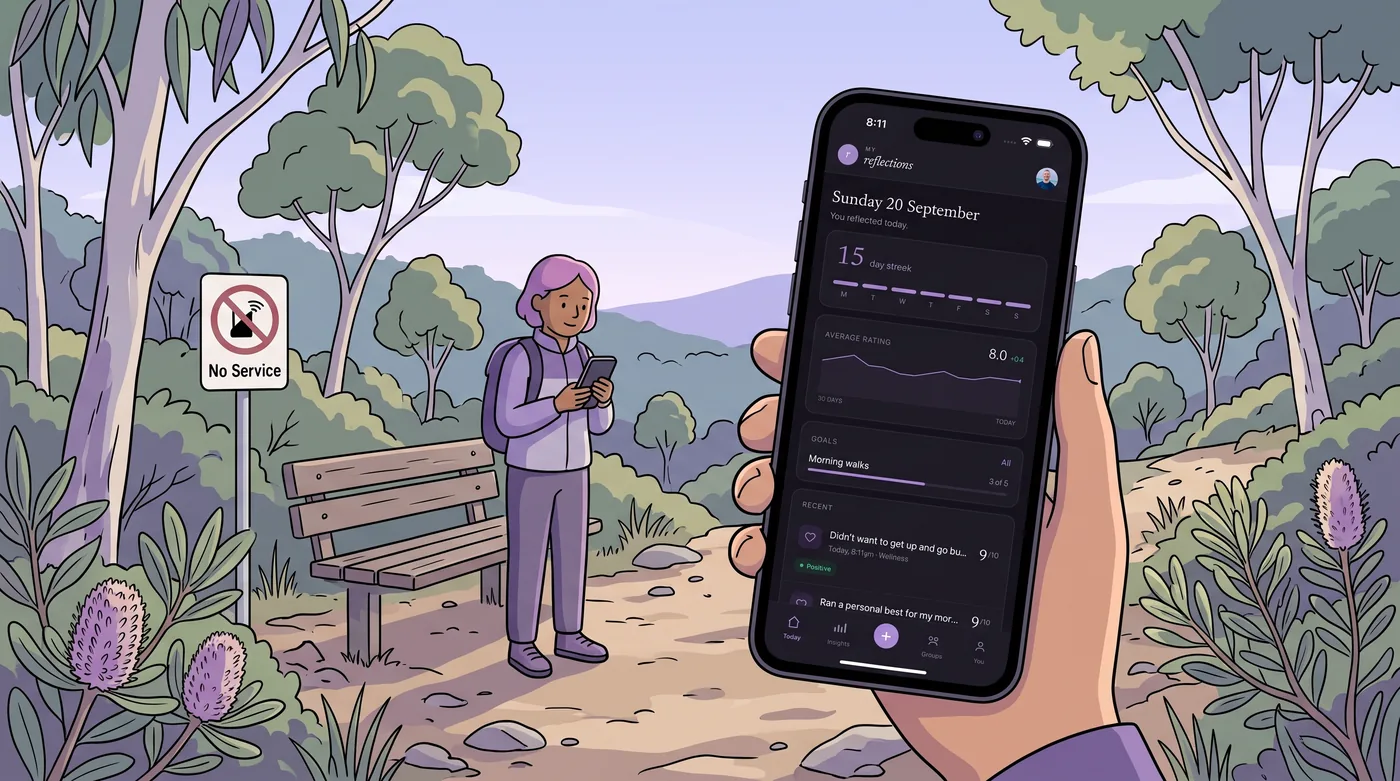
Reflection has a habit of arriving at the worst possible moment for your phone. A decision goes sideways at a worksite with no coverage. A conversation on a bushwalk leaves you turning something over for the next four kilometres. A long flight hands you the first quiet hour you have had all week, and the app you opened wants to verify your account against a server you cannot reach.
An offline reflection app is built for that gap. The note goes in, the app keeps it, and any syncing happens later. The catch is that two apps can both advertise themselves as working offline and mean very different things by it. One stores everything on the device and nowhere else. Another writes locally and syncs when a connection returns. Both are legitimate. They are not the same product.
The moment of reflection rarely has a signal
A write-up on offline journal apps puts it plainly: reflection often happens away from a connection. That is not a minor edge case to be handled by a retry button. It is the ordinary condition under which people notice something worth recording.
The thought that arrives on the walk is usually specific and short. It is the reason a meeting went badly, the rating you would give your own judgement in that moment, the one sentence you would say to yourself if someone asked. It is also perishable. By the time the signal comes back, the sharp version has softened into a vague memory, and a vague memory is much harder to learn from than a sentence written down at the time.
Anything that adds a step between wanting to record the thought and recording it costs you the thought. Logins, loading screens, a spinner that never resolves, a sync conflict prompt that appears at the exact moment you are trying to type. Offline capability is not a technical nicety. It is the difference between a record of what actually happened and a record of what you could still recall later.
What offline actually has to cover

Capture
Can you get the note in without a network round trip? Plain text is the easy case and most apps handle it. Voice is where things separate, because recording audio offline is straightforward but turning that audio into searchable text is not. A comparison of Android offline journal apps notes that most of them are text-only, and that voice-first tools which record, transcribe and save are the exception rather than the norm.
Storage and where the entry lives
Some apps keep entries on the device and only on the device. Offline Daily Journal, for example, states that it stores your entries only on your device. goalpal goes further and advertises no account, no cloud, no analytics and no ads. Others write to the device first and sync to a server when they can. The difference shows up twice: at 2am when you are deciding whether to trust the app with something you would not want read by anyone else, and again in six months when you change phones.
Browsing and search without a connection
Capturing a note is only half of reflection. The other half is finding it again. One published checklist for offline journal apps lists browsing and search alongside capture and storage, and it is the right thing to test. If you cannot search last month’s entries while sitting in a dead spot, you have a notepad rather than a reflection tool. Ask whether the search index lives on the device or has to be fetched.
Speech to text
Dictating a reflection while walking is often more realistic than typing one. Some apps process that audio on the device itself. MindSage, for instance, is described as running offline-first and doing its AI processing on the device rather than in the cloud. That is a meaningful distinction for anyone recording sensitive material, but it is also a claim to verify on the current listing rather than take on trust.
The different shapes of offline reflection app
Store listings in this category describe a handful of recognisably different approaches. The table below summarises what each one claims to do when the network is gone.
| Shape | Example from listings and reviews | What it claims to do offline |
|---|---|---|
| Device-only daily journal | Offline Daily Journal | Keeps entries only on your device for a simple offline journal |
| No-account habit tracker | goalpal | Runs entirely on the device, with no account, cloud, analytics or ads |
| On-device AI journal | MindSage | Offline-first, with AI processing on the device rather than the cloud |
| Voice-first journal | Trovera | Records, transcribes and saves voice entries, where most Android offline journals are text-only |
| One-page-a-day diary | Today: Offline Notes & Diary | A private offline space with one page per day, locked after 24 hours |
| Voice note journals | Magic Journal: Voice Notes, Memoire, AllMyLife | Turns voice notes into reflections |
| Devotional reflection | Daily Devotions | Every devotion works offline, in KJV, ASV, WEB or DRB |
| Offline-first with sync | My Reflections | Capture queues offline on iPhone (same account on the web when you are back online), then syncs when a connection returns |
Each of these descriptions comes from the app’s own store listing or from a published write-up about it. Behaviour changes between releases, so check the current listing before you commit a year of notes to anything.
Where a device-only model can let you down
Keeping everything on the handset is a defensible design choice, and for some people it is the whole point. It removes the question of who else can read your notes. It removes the account, which removes the password reset, which removes the support email. If your priority is that nobody, including the developer, holds your material, device-only is the cleanest answer available.
The trade-offs are real though, and worth naming before you find them the hard way.
- A lost, stolen or water-damaged phone can take the entire record with it, unless the app provides a backup or export you have actually used.
- There is no group reflection. A coach and client, or a peer circle, cannot share anything if each set of notes lives permanently on one device.
- There is no second screen. The entry you wrote on your phone is not there when you sit down at a laptop to review the month.
- Any analysis across months of entries has to happen on the device, which limits how much the app can offer.
What offline-first with sync changes

With My Reflections, Capture queues a reflection on iPhone when there is no signal. Editing and finishing a stub still need a connection. Once back online, the same account syncs across iPhone and go.myreflections.app. The habit itself is deliberately small: a two-minute daily practice built on an action, observation, reflection loop, where you rate something and add a brief note rather than sitting down to write an essay.
That structure produces a searchable, analysable record over time. Because each entry carries a rating and a note, the app can generate monthly reports and let you tag entries and track goals. Photo journals need Professional. Professional is USD $2.99 a month after a 7-day trial and adds creating and managing groups, scheduled reflections, and inbound webhooks.
On privacy, the position is specific rather than vague. Notes are private by default, they are not used for advertising, and you can export your data as a single file or delete it. That combination matters for anyone holding notes about other people, which is most coaches, facilitators and team leads. It does mean your entries do leave the device eventually, which is the honest cost of having them everywhere you are.
A ten-minute test before you commit
Whatever you choose, the only reliable test is to simulate the failure you are trying to avoid. Put the phone in flight mode and try the following in order.
- Write three entries, including one on the day you are most likely to be without coverage.
- Force the app closed and reopen it. Everything should still be there.
- Search for a word you used in the first entry. If search fails offline, you have learned something important.
- Dictate one entry rather than typing it, and check whether the transcript appears without a connection.
- Turn the connection back on and watch what syncs. Look for duplicates or anything that fails silently.
- Export your data before you have a year of notes in there, not after.
Ten minutes of testing tells you more than a comparison table. The apps that pass all six steps are the ones worth building a daily habit around, because a reflection practice only works if the tool disappears when you are busy thinking.
Frequently Asked Questions
Does an offline reflection app need an account?
Not always. Some apps advertise no account at all, with everything stored on the device and no cloud involved. goalpal is one example, describing itself as having no account, no cloud, no analytics and no ads. Others use an account so entries can sync across devices. Decide which trade-off you want before you start writing.
What happens to a note I write with no signal?
It depends on the design. A device-only app writes the note to local storage and it stays there permanently. An offline-first app writes locally first and syncs once a connection returns, so you may see the entry sitting in a pending state. In both cases the note should be safe if you close the app, but test that yourself.
Can I search my old notes without a connection?
Sometimes, and it is worth checking before you rely on it. A published checklist for offline journal apps lists browsing and search alongside capture and storage as things to verify. If the search index is built on the device, search works anywhere. If it is fetched from a server, your archive goes dark the moment coverage does.
Can I dictate a reflection instead of typing?
Voice-first journals do exactly this, recording, transcribing and saving spoken entries. Reviews of the category note that most offline journal apps on Android remain text-only, which makes voice support a distinguishing feature rather than a standard one. If dictation matters to you, confirm it works in flight mode rather than assuming it does.
Try the two-minute version tonight.
Reflecting is free, on iPhone, Android and the web. Professional has a 7-day trial.
Get the appKeep reading
Reflection practice
Guided Self Reflection Prompts That Still Work After a Month
Guided self reflection prompts that stay useful after a month: daily loops, four-week arcs, and how to keep journaling going without burnout.
Reflection practice
Daily Self Reflection App: What to Check Before You Install
Before installing a daily self reflection app, check the daily loop, privacy, export, pricing and missed-day streak behaviour.